Visionable Keynote Template: A Modern Toolkit for Professional Slides
Crafting a presentation that truly connects with an audience is a common challenge. Many professionals spend countless hours wrestling with generic layouts, struggling to maintain visual consistency, and trying to create slides that look polished rather than pieced together. The goal is clear communication, but the path often involves frustrating design roadblocks. This is where a thoughtfully built template system can transform the process from a chore into a creative opportunity, allowing the focus to shift back to the message itself.
A Complete Design System for Your Slides
The Visionable Keynote Template is more than a single set of slides; it's a comprehensive design toolkit built for real-world use. At its core, it provides a foundation of over 150 total slides, meticulously organized across five distinct premade color themes. Each theme offers 30 unique slide designs, giving you a robust starting palette that can be adapted to match any brand's existing identity. This structure eliminates the guesswork of color theory and layout from the outset, offering a curated visual language for your content.
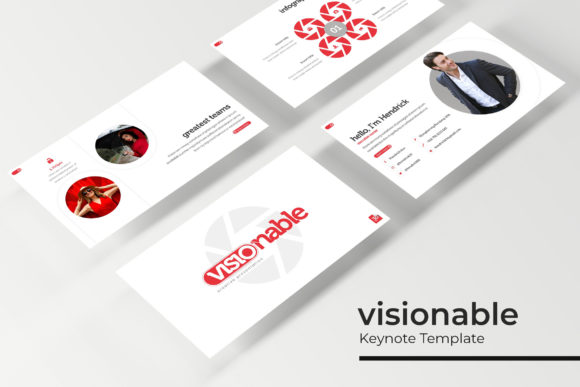
The visual appeal lies in its blend of modern clarity and professional restraint. The slides are not overloaded with distracting effects. Instead, they use clean lines, strategic white space, and balanced compositions to direct the viewer's eye. The handcrafted infographics are a standout feature, transforming complex data or processes into understandable, visually engaging stories. Section break slides provide a natural pause in your narrative, while dedicated gallery and portfolio slides offer a perfect stage for showcasing work, case studies, or product imagery with impact.
Practical Applications Beyond the Boardroom
While ideal for corporate presentations, the utility of a premium template like this extends far into other creative and commercial domains. Its strength lies in its adaptability. For entrepreneurs and small business owners, these slides can be repurposed to create compelling investor pitch decks, detailed service menus, or engaging workshop materials. The consistent visual language helps build brand recognition across every touchpoint.
Content creators and marketers will find immense value in using the templates to structure webinar visuals, social media story sequences, or detailed blog post graphics that summarize key points. The gallery slides are perfect for creating lookbooks or product catalogs for e-commerce sites. The included pixel-perfect illustrations and resizable graphics are not just decorative; they are functional tools. You can use them to design standalone social media posts, website banners, or even print materials like posters and invitations, ensuring your digital and physical marketing assets share a cohesive aesthetic.
Enhancing Your Visual Communication
A presentation's success hinges on more than just pretty pictures; it's about effective communication. This template system directly addresses several key areas of visual strategy. First, it enforces visual consistency. By using the master slides, every element—from fonts to spacing to color usage—remains uniform across all 150+ slides, which is critical for professional credibility and brand recognition.
Second, the pre-designed layouts guide you toward better readability. They encourage the use of concise bullet points, ample margins, and strategic hierarchy, preventing the common error of overcrowding slides with text. This focus on clarity directly boosts audience engagement, as viewers can easily follow your narrative without visual fatigue.
Finally, the drag-and-drop picture placeholders and editable graphics streamline the design process. You can swap in your own photographs, charts, and logos without breaking the layout's integrity. This practicality means you spend less time formatting and more time refining your message, resulting in a more professional presentation that feels intentionally crafted, not hastily assembled.
Getting Started and Making It Your Own
Upon download, you receive a complete package: five PPTX files for standard aspect ratios and five for widescreen formats, along with the five premade color variations. A crucial first step is to review the included "Readme First" file. This document contains vital information, including the link to download the free font used in the templates. Using the specified font ensures your slides render exactly as intended, preserving the design's integrity.
To make the template your own, start by selecting the color theme that best aligns with your brand's personality—whether it's a bold, energetic palette or a muted, sophisticated one. Then, explore the master slide view. This is where the true power lies. You can edit global elements here, and those changes will cascade across all related slides, saving you tremendous time. When replacing images, simply click the placeholder icon and drag your own file onto it. The graphic will automatically resize and position itself within the frame, maintaining a pixel-perfect look.
Remember, while the template provides a strong structure, your content is the star. Use the infographic slides to simplify your most complex ideas. Use the portfolio sections to tell a visual success story. The goal isn't to use every slide, but to select the ones that best serve each part of your narrative. This thoughtful curation, combined with the template's robust design framework, is what ultimately leads to a presentation that is not only seen but remembered. It’s a practical asset for anyone looking to communicate ideas with clarity and visual sophistication.