Monrope Google Slide Template: A Deep Dive into Its Presentation Features
Let's be honest, creating a presentation that truly stands out can feel like a chore. You want something that looks professional, modern, and cohesive, but starting from a blank slide is daunting. You need a solid foundation that saves you time while still allowing for creative freedom. That's where a well-crafted template system comes in, and the Monrope Google Slide Template is designed to be that exact solution for your next big pitch, report, or creative showcase.
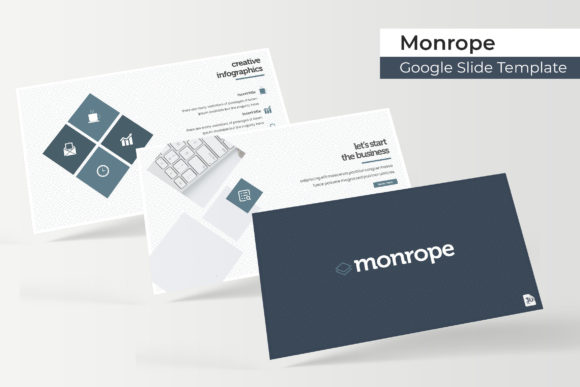
This isn't just another set of pre-made slides. The Monrope template is built on a philosophy of structured creativity. With over 150 total slides organized across five distinct premade color schemes, it offers a comprehensive toolkit. Each color variation provides 30 meticulously designed slides, ensuring you have a consistent and visually rich narrative for any project. The design language is clean and contemporary, relying on sharp layouts and ample white space to let your content breathe and take center stage.
Beyond the Slides: What Makes a Template System Work
The real value of a design asset like this lies in its underlying system. Every element in the Monrope template is built on master slides. This is a game-changer for consistency. Instead of manually adjusting fonts, colors, and logos on every single page, you make a change once on the master slide, and it cascades through your entire presentation. This pixel-perfect approach guarantees that your final output looks polished and intentional, which is crucial for establishing brand recognition and professional credibility.
Furthermore, the template includes handcrafted infographics and dedicated section break slides. These aren't generic charts; they are thoughtfully designed visual aids that help you break down complex information, guide your audience through different topics, and maintain a strong visual flow. The inclusion of a gallery and portfolio slide is particularly useful for creatives, agencies, and freelancers who need to showcase work samples directly within their pitch or proposal.
Practical Applications for Your Brand and Business
So, how do you actually put the Monrope Google Slide Template to work? Its versatility makes it suitable for a wide range of professional and creative endeavors.
- Client Pitches and Proposals: Walk into a meeting with a presentation that reflects the quality of your work. The structured slides help you tell a compelling story about your services, process, and value proposition.
- Internal Reports and Strategy Meetings: Use the infographic slides to present quarterly results, project updates, or marketing strategies in a clear, data-driven way that keeps stakeholders engaged.
- Workshops and Educational Content: Design course materials or workshop decks that are easy to follow. The logical flow and visual breaks help learners digest information more effectively.
- Portfolio Showcases: The dedicated portfolio slide is a standout feature. Use it to create a dynamic, interactive lookbook for your design work, photography, or product line.
- Social Media and Marketing Decks: Plan and present your social media campaigns or marketing initiatives with slides that outline goals, content calendars, and key metrics.
The resizable and editable graphics are a major time-saver. You can easily swap out placeholder images using a simple drag-and-drop function, scaling them without losing quality. This means you can adapt the template to your specific content in minutes, not hours.
Streamlining Your Design Workflow
One of the biggest hurdles in presentation design is achieving visual consistency, especially when collaborating. The Monrope system solves this by providing a locked-in design framework. The five premade color palettes offer a quick way to align the presentation with your existing brand identity or to experiment with a new aesthetic. Having 30 slides per color variation means you won't run out of layout options mid-project.
The package includes everything you need to get started immediately: 5 PPTX files for widescreen presentations, the five color themes, and a helpful readme file. It also specifies the font used and provides a free download link, removing any guesswork and ensuring you can perfectly replicate the intended look. Remember, the preview images are for illustration, so you'll be inserting your own photographs and graphics, but the structure and style are ready for you.
Choosing the Right Tools for Clear Communication
A template like Monrope is a powerful design asset, but its effectiveness ultimately depends on how you use it. The clean, modern typography and balanced layouts are designed to enhance readability. When you're building your presentation, focus on pairing the provided style with your own brand's voice. Use the section breaks to create natural pauses and transitions in your narrative. Leverage the infographics not just as decoration, but as tools to simplify your message.
Think of this template as a sophisticated starting point. It handles the heavy lifting of layout, alignment, and visual hierarchy, freeing you up to concentrate on what truly matters: your message, your data, and your connection with the audience. Whether you're a startup founder, a marketing manager, or a freelance designer, having a reliable, professional template system in your toolkit is an investment in clearer communication and more impactful presentations.