Lapse Keynote Template: A Deep Dive into Its Presentation Power
You know the feeling. You're staring at a blank slide deck, the cursor blinking mockingly, and the deadline for that crucial investor pitch or client presentation is looming. The content is solid, the strategy is sharp, but the visual delivery feels… generic. This is where a tool like the Lapse Keynote Template moves from being a nice-to-have to a genuine game-changer. It’s not just a collection of slides; it's a structured system designed to transform your narrative into a visually compelling and professional story, saving you hours of design work and ensuring your message lands with impact.
Beyond the Basics: What Makes This Template a Design Asset
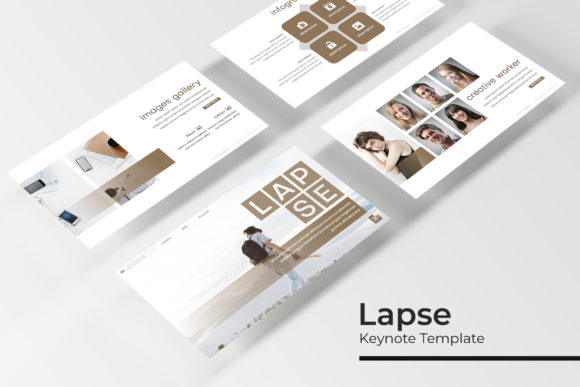
At first glance, the sheer volume is impressive: 150+ total slides across five premade color themes. But the real value lies in the curation. Each of the 30 slides for each template isn't a duplicate; it's a different layout for a specific purpose. You'll find handcrafted infographics that make complex data digestible, section break slides that provide visual breathing room, and dedicated gallery and portfolio slides perfect for showcasing your work. The pixel-perfect illustrations and consistent design language across the entire set mean your presentation will look cohesive and polished from the first slide to the last, reinforcing your brand identity through visual consistency.
Functionality is baked into its core. Built on a Master Slides system, making a global change—like updating your brand color or logo—is a matter of editing one slide, not fifty. The resizable and editable graphic picture placeholders use a simple drag & drop interface, allowing you to insert your own images effortlessly. This isn't just a Keynote template; it's a premium design asset that acts as your on-demand design team, enabling you to focus on your message rather than wrestling with formatting.
Practical Applications for the Modern Professional
So, who exactly is this for? The applications are broader than you might think. For the entrepreneur or small business owner, it’s the backbone for investor decks, sales proposals, and team training materials. The clean, modern typography and structured layouts project professionalism and help build audience engagement through clarity.
Marketers and content creators will find immense value in the infographic slides for social media reports or campaign post-mortems, and the portfolio slides for showcasing creative work to clients. The five color variations allow you to match the template to different client brands or campaign themes instantly. Think of it as a versatile toolkit for creating marketing assets that look like they came from a high-end agency.
Even bloggers and crafters can leverage this. Use it to create stunning visual aids for a workshop, design a professional-looking media kit, or develop a sleek lookbook for a new product line. The template’s focus on readability and modern typography ensures your content is the star, supported by a design framework that feels intentional and expertly crafted.
Making It Your Own: Tips for Effective Implementation
Getting the most out of a comprehensive template like this requires a bit of strategy. Start by choosing the right color theme that aligns with your project's goal or existing brand palette. Don't just pick your favorite color; consider the psychology—do you need the energy of a vibrant theme or the calm authority of a muted one?
Next, focus on font pairing. The template comes with a recommended free font (download link included), which is a great starting point. However, you can often pair it with a secondary typeface for variety. A good rule of thumb is to pair a display font for headings with a highly readable sans serif font for body text. Test your pairings on a few slides to ensure they work harmoniously without competing for attention.
Finally, remember that the template is a foundation, not a prison. Use the picture placeholders to inject your unique imagery. Swap out the placeholder text with your own concise, powerful copy. The goal is to use the Lapse Keynote Template’s structure to elevate your content, not to let the design overwhelm your message. By thoughtfully customizing it, you create a presentation tool that is both professionally polished and uniquely yours, ready to tackle any business presentation or creative project with confidence.