Unlocking Visual Cohesion with Infinotes: The Keynote Template
You know the feeling. You’ve spent hours building a presentation, wrestling with alignment, color schemes, and trying to make your data look less like a spreadsheet and more like a story. By the time you’re done, the content is solid, but the design feels disjointed. It lacks that polished, professional spark that captures attention and builds trust. This is where a thoughtfully designed template system transforms the process from a chore into a strategic advantage. The Infinotes Keynote Template isn't just a collection of slides; it's a foundational design asset built for clarity, consistency, and creative flexibility.
A Foundation for Any Brand Narrative
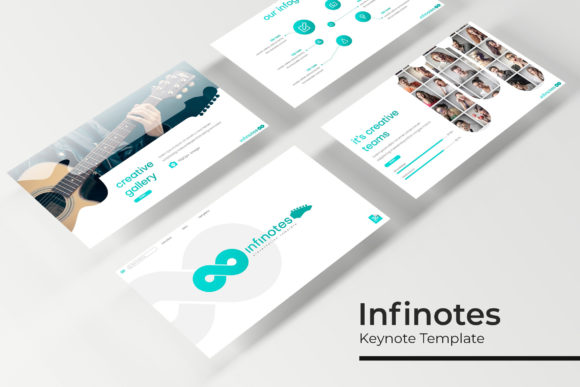
What makes a presentation truly effective? It’s the seamless marriage of information and visual appeal. Infinotes provides a robust framework with over 150 total slides, meticulously organized into five premade color palettes. This structure is a game-changer for maintaining visual consistency across a brand’s entire communication suite. Imagine pitching to a client with slides that use the exact same color story as your social media graphics, your website hero section, and your printed brochure. That level of cohesion doesn't just look professional; it actively strengthens brand recognition and audience trust. The template’s handcrafted infographics and section break slides offer a visual language that can be adapted to tell any story, whether you're presenting quarterly financials, launching a new product, or outlining a creative project timeline.
For the entrepreneur or small business owner, this means you can establish a professional visual identity from day one without hiring a dedicated designer for every single asset. The pixel-perfect illustrations and resizable, editable graphics ensure your visuals remain sharp and on-brand, whether displayed on a massive conference screen or a laptop during a video call. The drag-and-drop picture placeholders are a practical lifesaver, allowing you to swap images effortlessly while maintaining the design's integrity. It’s about reducing friction so you can focus on your message.
Beyond the Slides: A Toolkit for Visual Communication
Thinking of Infinotes solely as a "Keynote template" sells it short. Its true value lies in its versatility as a core design asset. The included PPTX files for both standard and widescreen formats mean your visual identity can translate across different platforms and contexts. The five premade color variations aren't just random choices; they are curated palettes that can serve as the starting point for an entire brand color scheme. Use a vibrant palette for a youth-focused brand, or a muted, sophisticated one for a luxury service.
This toolkit extends far beyond presentations. Consider the practical applications:
- Marketing & Sales Decks: Build persuasive pitches and client proposals that look impeccably professional.
- Internal Communications: Create engaging training materials, company updates, and all-hands meeting decks that employees actually pay attention to.
- Portfolio & Case Study Showcases: The gallery and portfolio slides are perfect for designers, photographers, or agencies to display their work in a clean, impactful format.
- Educational Content: Educators and course creators can design visually stimulating lessons and workshop materials that enhance learning and retention.
- Social Media & Digital Products: Export individual slides as high-quality graphics for Instagram carousels, Facebook ads, or even as visual assets for a digital product like an e-book or a planner.
The inclusion of a "Readme First" document and links to the free fonts used is a small but critical detail. It demonstrates an understanding of real-world workflow, ensuring you can get started immediately without hunting for typefaces. This attention to the user experience is what separates a premium design asset from a simple download.
Making It Your Own: Strategy Over Aesthetics
A powerful template is a starting point, not a rigid cage. To leverage Infinotes effectively, you need to think like a brand strategist. Start by selecting the color variation that best aligns with your brand’s personality and the emotional tone of your presentation. Is your brand energetic and innovative? Or is it calm and authoritative? Let the palette guide you.
Next, consider typography. While the template includes font recommendations, you may need to pair it with your existing brand fonts. The key is to maintain hierarchy and readability. Use the provided font for headlines and key statements, and pair it with a clean, neutral sans-serif for body text to ensure clarity. Always test your slides in presentation mode—what looks good on a design screen can sometimes have readability issues when projected.
Most importantly, treat the slide layouts as frameworks for your content, not as finished products. The 30 slides per color template provide a variety of layouts for different content types—timelines, data visualization, team introductions, quotes. Choose the layout that best serves the information you need to convey. A complex data point is better explained with a clean infographic than a dense text slide. A team introduction is more engaging with consistent photo placeholders and a cohesive style.
Before finalizing, always review your work through the lens of your audience. Is the flow logical? Are the key takeaways visually emphasized? Does the overall design support the story you’re telling? A tool like Infinotes gives you the professional canvas, but your strategic content and thoughtful customization are what will ultimately capture your audience's attention and drive your message home. It’s the bridge between having great ideas and presenting them with the visual authority they deserve.