Moiety Google Slide Template: A Designer's Guide to This Versatile Asset
Every designer, marketer, or entrepreneur has felt that familiar pang of frustration. You have a brilliant concept for a presentation, a pitch deck, or a brand guide, but the execution feels stale. The default templates are overused, and building a cohesive, professional slide deck from scratch is a time-consuming luxury few can afford. This is where a robust, well-designed template system changes the game. The Moiety Google Slide Template isn't just another set of slides; it's a comprehensive design toolkit built for speed, consistency, and visual impact, allowing you to focus on your message rather than fighting with formatting.
Beyond Slides: A Complete Visual Communication System
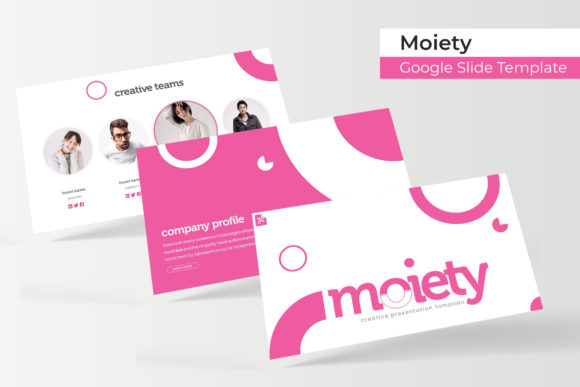
At its core, Moiety is built on the principle of scalable design. With over 150 total slides, it provides a vast library of pre-designed layouts that cover virtually every presentation need. Think of it as a visual language with a complete vocabulary. The system is organized into five distinct color palettes, each containing 30 meticulously crafted slides. This structure means you aren't just getting one look; you're getting five cohesive brand directions out of the box. Whether you're aiming for a corporate, minimalist vibe or a vibrant, creative energy, there's a foundational palette ready to be customized.
The real power lies in the details that facilitate real-world use. Every graphic, chart, and infographic is not only handcrafted for aesthetic appeal but is also fully resizable and editable. The drag-and-drop picture placeholders are a standout feature, letting you swap images in seconds without breaking the layout. Built on master slides, any global change—like updating a font or adjusting an accent color—propagates instantly across all 150+ slides. This pixel-perfect foundation ensures your final presentation looks sharp and intentional, whether displayed on a massive conference screen or shared as a PDF.
Practical Applications for Brand and Business
The utility of a template like Moiety extends far beyond a standard business presentation. Its clean, modern typography and structured layouts make it a versatile asset for numerous professional contexts.
- Brand Identity & Guidelines: Use the consistent slides to document your brand's logo usage, color codes, typography hierarchy, and visual voice. The premade color variations can even help you explore and present different brand mood options to stakeholders.
- Marketing & Sales Assets: Quickly generate social media graphics, webinar slides, or sales decks that maintain perfect visual consistency. The section break slides are ideal for creating clear, impactful transitions in a pitch.
- Editorial & Portfolio Presentations: The gallery and portfolio slides are designed to showcase work beautifully. Photographers, designers, and artists can create polished project case studies or client presentations without needing advanced design software.
- Internal Communications & Training: Transform dense information into engaging visual narratives. The handcrafted infographics simplify complex data, making reports, training manuals, and team updates more digestible and professional.
- Digital Products & Proposals: Elevate the perceived value of your digital products, service packages, or client proposals. A well-designed template communicates professionalism and attention to detail before the client even reads the content.
Streamlining Your Workflow and Enhancing Readability
One of the most significant, yet overlooked, benefits of a high-quality template system is the improvement in workflow and final output quality. Starting from a blank slide often leads to inconsistent font sizes, misaligned elements, and a disjointed visual flow. Moiety enforces a visual grid and typographic scale from the start, which inherently improves readability and professional presentation.
The included font choices are critical here. The template relies on free, widely available fonts (with download links provided in the readme file), ensuring your presentation will display correctly on any computer, even if the recipient doesn't have the font installed. This eliminates the common headache of corrupted layouts or missing typefaces. When choosing which of the five color variations to use, consider your project's goal. A muted, sophisticated palette might be best for a financial report, while a bold, high-contrast option could make a creative pitch more memorable.
For those looking to pair the Moiety typefaces with other fonts in extended branding materials, the principle is balance. If the template's heading font is a strong, modern sans serif, consider pairing it with a clean, readable serif or a complementary script for accents in other documents. Always test your pairings in context—a combination that looks good in a headline might fail in a long-form paragraph. The consistency provided by using the template's built-in style guide is your strongest ally in building brand recognition across all your touchpoints.
What You Receive and How to Get Started
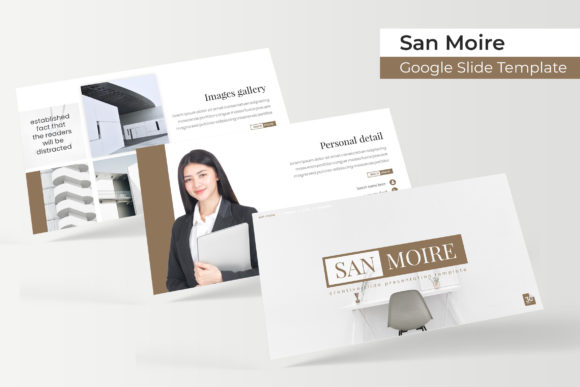
The package is straightforward and designed for immediate productivity. You receive five PPTX files formatted for widescreen presentations, each corresponding to one of the five premade color themes. A clear "Readme First" document guides you through setup, including links to download the necessary free fonts. It’s important to note that the preview images use placeholder photographs for illustration; you will need to supply your own images, which is easily done thanks to the intuitive drag-and-drop placeholders.
To make the most of this asset, begin by selecting the color variation that best aligns with your brand or project tone. Open the master slide view to familiarize yourself with the available layouts and color controls. Then, start building your content by simply dragging your own images into the designated placeholders and typing your text. The pre-built infographics can be adapted by editing the underlying data in the charts. This approach turns what could be hours of design work into a matter of minutes, freeing you to refine your narrative and strategy. In a world where visual communication is paramount, having a reliable, professional system like Moiety in your toolkit isn't just convenient—it's a strategic advantage for clear, consistent, and compelling storytelling.